


Super Story Downloader
3.566.00 Reviews
App Specs
- Version
- 1.87
- Updated On
- License
- Free
- Downloads
- 100,000+
- Developer
- Instant Reels Story Downloader Team
- Categories
- Video Players & Editors
- Platform
- Android
Screenshots
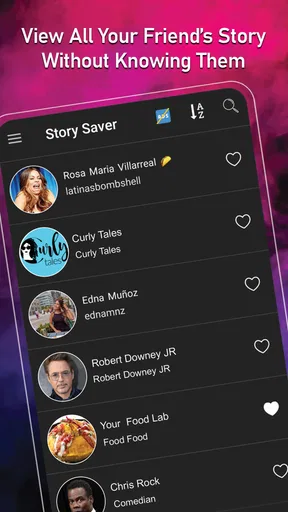
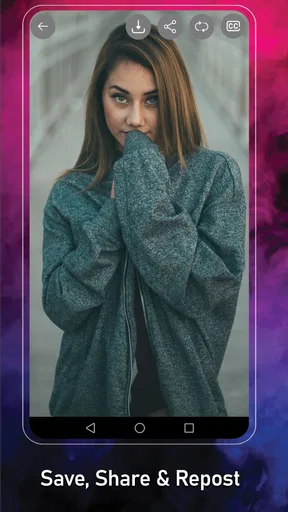
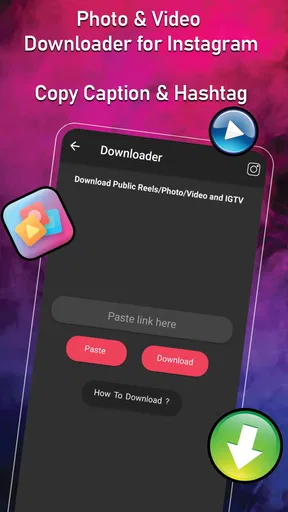
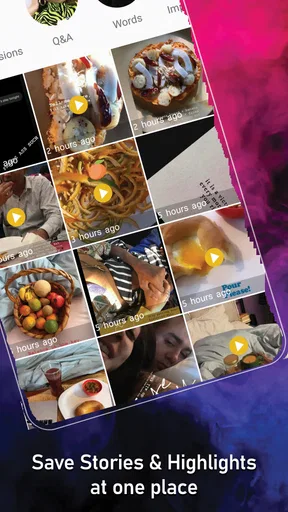
 Analysis by AppCompare
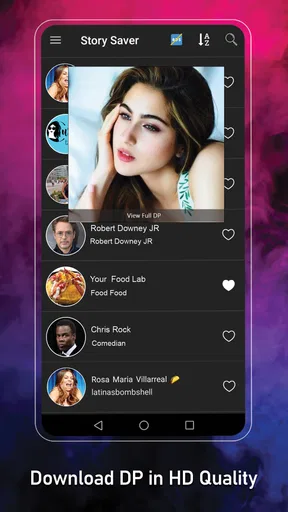
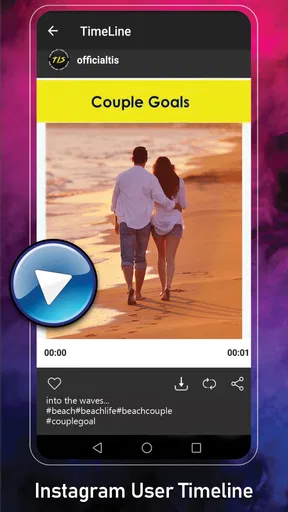
I tend to judge a media-saving app less by its promise and more by what happens when I try to use it during a busy, ordinary moment. Super Story Downloader is designed for people who want to save stories, reels, videos, photos, or display pictures from supported social-media content, and its appeal is easy to understand: it puts several common download tasks in one place instead of making me switch between separate tools.
It is a free app in the Video Players & Editors category, developed by Instant Reels Story Downloader Team. The listing shows a 3.5 average from around 1.2 thousand ratings, with more than 100 thousand installs. That tells me it has found a real audience, but it also suggests that expectations should stay realistic. This is not the kind of utility I would install assuming every download will work perfectly regardless of the source, account, privacy setting, or social platform involved.
My overall experience is that the app makes sense for occasional personal saving, especially when I want to keep a piece of content available for later reference. The less attractive side is the friction around setup, source availability, and the fact that a downloader cannot solve problems caused by the original platform. The best results come from treating it as a focused utility rather than a complete replacement for a social network’s own viewing or sharing tools.
Where the first download can go wrong
The first point where users commonly get stuck is understanding what they are actually trying to save. A story, a reel, a regular video, a photo, and a display picture may look similar inside a social app, but they are not necessarily delivered in the same way. If I copy the wrong address, share the wrong item, or leave the source app before the content is ready, Super Story Downloader has little chance of identifying the intended media.
I recommend starting with one simple public item rather than testing several links at once. Open the source post, use its normal sharing or copying option, and then move to the downloader. This small habit avoids a surprisingly common mistake: copying text from a caption, profile page, or comment instead of the actual media address. When the app appears not to recognize something, I first repeat that process before blaming the downloader.
Another source of confusion is the difference between viewing content and owning a usable local copy. A social platform may show a preview while still controlling access to the underlying file. A temporary story can also disappear from its original location, and private material may be visible only to approved viewers. In those situations, a downloader should not be expected to bypass access restrictions. I use it for content I am allowed to save, and I avoid treating it as a workaround for someone else’s privacy choices.
The mature age classification is also worth taking seriously. It does not make the app suitable for every family device, and it is a reminder to think about the material being downloaded as well as the tool itself. If I were setting up a phone for a younger user, I would not choose this app casually simply because the download function is straightforward.
Worth Reading Before You Choose

EA SPORTS FC Mobile 26 Is a Bigger Football Game, but It Takes Time

Flipboard Shows What News Apps Must Do Beyond the Feed

Switching to Android Auto Means Rethinking Your Driving Routine

Google Calendar Makes a Crowded Week Easier to Manage

Ludo King Makes the Most of the Minutes Between Plans

Baby Panda World Brings Quick Play to Modern Phones, but Its Game Library Feels Busy
What I check before opening the downloader
My first setup check is the operating system. The app requires Android 7.0 or later, so an older phone is not a good candidate even if it still runs the social app used as the source. On a compatible device, I also make sure the source application is open and signed in normally, because many failures begin there rather than inside Super Story Downloader.
I then check whether the original content still loads properly. If the story or reel is stuck, shows an error, or is available only briefly, copying its address may produce an unusable result. A quick test is to return to the source and open the same item again. If it cannot be viewed there, repeating the download attempt usually wastes time.
Storage is another practical consideration. Saving several videos can fill a phone faster than expected, particularly when I forget that a file already exists in the gallery. I prefer to review the destination after a successful save, rename or organize important files, and remove failed duplicates. This is more useful than repeatedly pressing a download control without checking whether the first attempt actually created a usable file.
Because this is a free app with in-app purchases ranging from $1.99 to $19.99 per item, I would pay attention to any purchase screen rather than tapping through it automatically. The basic appeal is that I can begin without paying, but optional purchases can change the cost of continued use. I would decide first whether the unpaid experience covers my occasional needs, then consider anything extra only if the benefit is clear.
The current version is 1.87, and I would keep the app updated through the normal Android store process when an update is offered. Updates can matter when a source platform changes how it handles links or media, although an update cannot guarantee compatibility with every future change. If a problem begins immediately after the source app changes its interface, I treat that as a possible compatibility issue rather than assuming I configured the downloader incorrectly.
A safer, cleaner setup routine
My preferred routine is deliberately boring. I open the source content, confirm that it is the exact story, reel, photo, or video I want, copy or share it using the source app’s own controls, and then paste or import it into Super Story Downloader. After the save finishes, I check the gallery or file location before trying again. That sequence prevents two problems: downloading the wrong item and creating several copies because the result was not checked.
I also keep personal organization in mind. For a one-off image, the default gallery destination may be enough. For a collection of saved reels or reference clips, I create a dedicated album or folder so the files do not become mixed with camera photos. This is a small workflow improvement, but it makes the app more useful over time and makes it easier to delete material I no longer need.
One non-obvious trade-off is convenience versus context. Saving a file gives me offline access, but it can remove the original caption, comments, creator information, or surrounding conversation. If I am saving something for a recipe, tutorial, travel idea, or work reference, I often record a short note about where it came from at the same time. Otherwise, a month later I may have a useful-looking video with no idea why I kept it.
Another useful habit is to save only after deciding what the file is for. If I want to watch something later, the source platform’s own saved-content feature may be better because it preserves the connection to the creator. If I need a local copy for a permitted personal archive or offline viewing, Super Story Downloader becomes more practical. The right choice depends on whether I value portability or ongoing context.
Recovering when a download does not appear
When a download seems to fail, I work through the problem in a fixed order. First, I reopen the original media and verify that it is still accessible. Second, I recopy the item rather than reusing an old address. Third, I return to the downloader and try the fresh input once. If the same item still fails while other accessible items work, the issue may be specific to that source rather than the entire app.
I avoid sending a long queue of links while troubleshooting. Testing one item at a time makes it easier to tell whether the problem is an invalid address, unavailable content, or a broader app issue. It also reduces duplicate files and makes the gallery easier to inspect afterward. This single-item test is especially helpful when a story has expired or when a reel has been edited or removed since I first saw it.
If the app appears to complete a save but I cannot find the result, I check the phone’s media and file areas instead of immediately downloading again. The file may have been placed somewhere different from the location I expected, or the gallery may need a moment to refresh. I also check available storage and confirm that the phone itself is behaving normally by opening another recent image or video.
Restarting the app is a reasonable general troubleshooting step when its screen becomes unresponsive. If that does not help, I restart the phone and repeat the test with a single accessible item. I keep the troubleshooting conservative: I do not recommend installing unknown companion tools, entering credentials into random prompts, or using unofficial copies of the app. A downloader is not worth compromising the account or device used to access the original content.
There is also a practical distinction between a failed download and an unsupported situation. If the content is private, restricted, removed, or no longer available, repeated attempts are unlikely to change the result. The same applies when the source platform changes its link behavior. In those cases, the responsible solution is to use the source app’s legitimate sharing or saving options, ask the creator for a copy when appropriate, or accept that the item is not available for local saving.
When the original platform is the real problem
It is tempting to blame Super Story Downloader whenever a file will not save, but the source platform controls much of the process. A link can stop working because the post was deleted, the account became private, the story expired, or access changed. A video may also be visible in one account context and unavailable in another. The downloader cannot restore media that the source no longer provides.
Network conditions can create the same illusion. If the source app loads slowly or only displays a low-quality preview, I test the connection there first. Switching between a reliable Wi-Fi connection and mobile data can help identify a local connection problem, but I do not assume that a stronger signal will fix restricted content. Connectivity and permission are separate issues.
Account security matters too. I would be cautious with any request that asks for a social-media password when the normal workflow only requires selecting or copying content. I prefer using the source app directly and passing along the media reference, rather than handing login details to a third-party utility. This is one of the strongest reasons I would skip a workaround that promises access to private material.
Copyright and consent are part of the decision as well. I use saved files for personal reference, offline viewing, or other purposes I have permission to pursue. I would not assume that downloading makes it acceptable to repost someone else’s reel, remove attribution, or use a creator’s work commercially. The app can make a file easier to store; it does not transfer ownership or publication rights.
Compared with a browser-based downloader, this app can be more convenient on Android because it fits a phone-centered workflow and is aimed specifically at stories, reels, videos, photos, and display pictures. A browser tool may be preferable when I am working on a desktop, need broader file management, or do not want another installed utility. However, web services can introduce their own privacy and advertising concerns, so I would not automatically consider them safer.
The source platform’s built-in save or bookmark function is often the better alternative when I only want to find content again. It keeps the creator connection and avoids filling local storage. Super Story Downloader is more useful when I genuinely need a local file, but that advantage comes with extra organization, storage, and permission responsibilities.
Who will find it useful
I think the app suits Android users who regularly save accessible media for personal use and want one focused place for several content types. It can be handy for keeping a visual reference, storing a permitted clip for a trip without relying on a live feed, or collecting images that would otherwise be difficult to locate later. The convenience is strongest when the user already understands the source app and does not expect the downloader to overcome restrictions.
A realistic everyday example would be someone preparing for a weekend event. They see a public reel showing a craft technique, a photo with useful decoration ideas, and a short story containing a reminder. Instead of taking screenshots of everything, they can process each item separately, check that the files arrived, and place the useful results in a clearly named album. The important part is not speed; it is confirming each source and keeping the saved material organized.
I would skip it if my main goal is simply bookmarking content, managing a large professional media library, editing videos, or downloading from sources outside the app’s intended social-media workflow. I would also skip it for private-content access, reposting material without permission, or use on an unsupported older Android device. In those situations, the source platform, a proper editing application, or a desktop file-management solution is likely to be a better fit.
My practical verdict after weighing the friction
Super Story Downloader is a reasonable free utility for a narrow but familiar job. Its collection of saving targets makes it more flexible than keeping a separate method for every type of social content, and the entry cost is low enough for occasional users to test it. The developer is listed as Instant Reels Story Downloader Team, and the app has been available since April 11, 2020, so it is not a brand-new experiment.
Still, I would not call it effortless. The quality of the experience depends on copying the correct item, keeping the source accessible, checking where files land, and understanding that private or removed content is outside the normal workflow. The mature rating and optional purchases also mean I would review the app’s suitability and any payment prompt before handing it to another person or leaving it on a shared device.
My recommendation is simple: install it if you need occasional local copies of accessible stories, reels, photos, videos, or display pictures and are comfortable handling the files responsibly. Start with one uncomplicated item, confirm the result, and build an organized routine only if it proves useful. If you mainly want bookmarks, desktop downloads, advanced editing, or access to restricted material, choose the platform’s own tools or a more specialized alternative instead.
The app is at its best when it saves you a small amount of everyday friction, not when you expect it to solve a source-platform problem. That distinction makes the difference between a handy Android utility and a frustrating download loop.
Pros
- Downloads stories quickly with a simple
- beginner-friendly interface.
- Supports saving content for later viewing without an internet connection.
- Makes it easy to organize downloaded stories on your device.
- Lightweight app that generally uses little storage space.
- Useful for creating personal backups of favorite story content.
Cons
- May require broad media or storage permissions to save downloaded files.
- Downloaded content can take up significant storage over time.
- Compatibility may vary after social platform updates.
- Some features may depend on the source platform or account access.
- Using saved content outside personal use may raise copyright concerns.
FAQs for Super Story Downloader
What is Super Story Downloader and what can it do?
Super Story Downloader is designed to help users save stories and other short-lived media from supported social platforms for offline viewing. After opening the app, you generally select the service, browse available stories, and choose the download option. Its exact features may depend on the platform, device, app version, and the permissions granted during setup.
Is Super Story Downloader free to download and use?
The application may be available as a free download, but some functions can include advertising, usage limits, or optional in-app purchases depending on the version installed. Before downloading, check the official store listing for current pricing, subscriptions, and purchase terms. Avoid unofficial modified versions, since they can contain malware or compromise account and device security.
What permissions does Super Story Downloader require?
A story-downloading tool may request access to storage or photos and videos so it can save files to your device. It might also require network access and, depending on how it works, permission to access content shared through another application. Review every permission carefully and deny anything that seems unrelated. You can change permissions later through Android or iOS settings.
Can I download every story or private content with Super Story Downloader?
No downloader can guarantee access to every story. Availability usually depends on whether the content is public, whether the source platform supports the feature, and whether the original poster has restricted visibility. Private stories, deleted posts, protected accounts, and content requiring authentication may not be accessible. Never attempt to bypass privacy controls or download material without the owner’s permission.
Is it legal and safe to save stories using Super Story Downloader?
The technical act of saving content does not automatically grant permission to reuse or redistribute it. Copyright, privacy, and the terms of the original social platform still apply, so use downloaded stories for personal purposes unless you have clear authorization. Download the app only from a trusted store, keep it updated, and avoid entering sensitive login details into third-party tools unless their security and privacy practices are clearly explained.


